

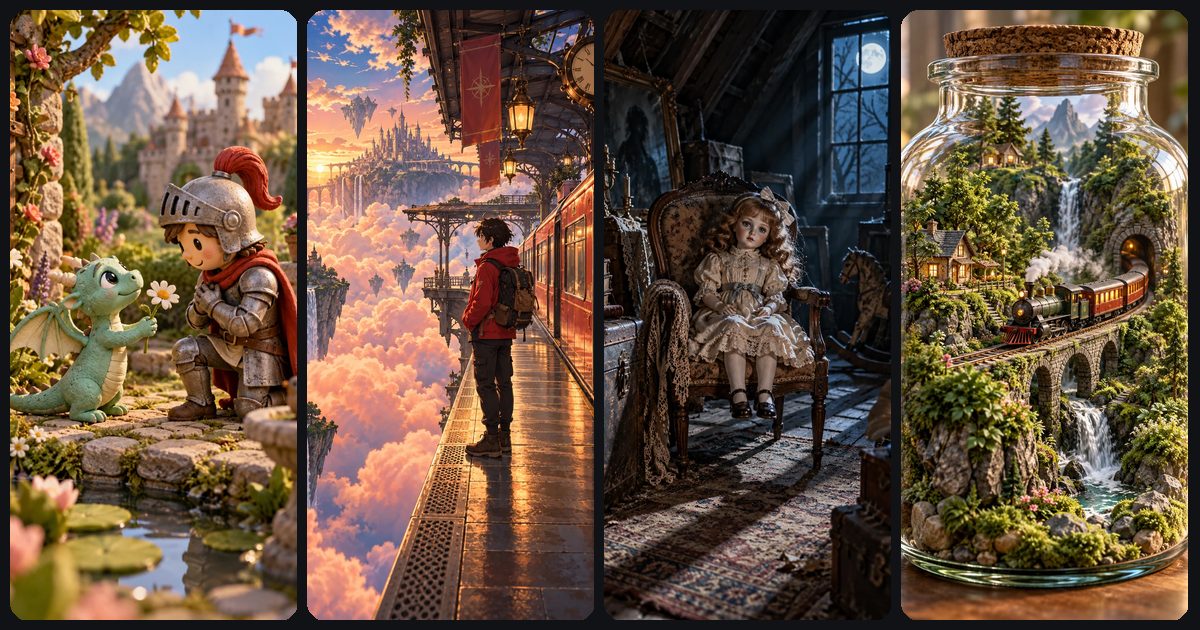
The best AI video prompts describe one shot the way a director briefs a crew: who is on screen, what they do, where, how the camera moves, how it looks and what it sounds like. Write those six things in plain sentences, keep to one action and one camera move per clip, and you leave Veo 3.1 or Kling 3.0 far less to guess.
Below you'll find a formula built on Google's Veo prompt guide and Kling's prompt guide, a camera cheat sheet for vertical video, 40 copy-paste prompts and a troubleshooting table. New to text-to-video? Start with how to make an AI video from text.
The 6-part AI video prompt formula
Google's Veo guide lists what a prompt can include, from subject and action to lens, lighting, audio and editing terms, and says you don't need all of them. Kling's guide uses similar blocks and adds a rule: describe only what the viewer can see. Together they give six parts:
- Subject: who or what is on screen, with two or three visible details.
- Action: one clear thing that happens, written as a strong verb.
- Setting: the place, time of day and weather.
- Camera: a shot size or angle plus one movement.
- Light and style: a named light source, a short palette and the medium (3D animation, claymation, anime, film).
- Sound: ambience, one or two effects, any dialogue. Optional; only used when audio is on.
[Style or medium]: [subject with 2–3 visible details] [one action] in [setting, time of day]. [Shot size or angle], [one camera move]. [Light source], [2–4 palette colours], [mood]. Sound: [ambience], [one or two effects].
Lead with the medium when the look is the point (“2D anime:”, “Stop-motion claymation:”) and keep each part to a phrase. If you only have a rough idea, the ToonlyAI studio can expand it into a fuller cinematic prompt; check the result against the six parts before you generate.
Paste any prompt into Text to Video, set 9:16 and check the star cost first. A silent 4-second Veo 3.1 Lite draft costs 15 stars, so you can fix motion before paying for 1080p or sound.
Open the Video StudioCamera movement prompts for AI video (and what to avoid in 9:16)
Veo's guide recognises standard film terms for shot sizes (extreme close-up to wide), angles (low, high, top-down, Dutch, POV) and moves (static, pan, tilt, dolly, truck, pedestal, crane, handheld, arc). Kling's camera control guide adds the rule that saves the most re-rolls: one main camera move per shot, tied to the subject (“slow push-in on her face”), and no contradictory combinations like static plus push-in plus orbit.
In a tall, narrow 9:16 frame, moves through depth or along the vertical axis keep the subject centred; sideways moves push it out of frame within a second or two.
| Move | Write it as | In 9:16 | Best for |
|---|---|---|---|
| Static | static shot, locked-off camera | Strong | Dialogue, comedy, details |
| Push-in (dolly in) | slow push-in on the girl's face | Strong | Emotion, tension |
| Pull back | slow pull back to reveal the room | Strong | Reveals, endings |
| Tilt | slow tilt up from his boots to his face | Strong | Height, introductions |
| Crane or pedestal | crane up over the rooftops | Strong | Establishing, finales |
| Orbit (arc) | slow orbit around the dancer | Good | Hero moments, products |
| Handheld | handheld camera, slight shake | Good | Found footage, chases |
| Pan | slow pan right across the shelf | Weak | Short pans only |
| Truck or lateral tracking | camera tracks sideways with the runner | Weak | Save for 16:9 |
| Whip pan | whip pan to the doorway | Risky | Can blur or read as a cut |
Shot size matters too. Close-ups and medium shots fill a phone screen; save wide shots for an opening or closing clip.
Lighting, lens and style words
Vague words like “cinematic” do little on their own. Specific nouns do more:
- Light: a source and a time. Warm desk lamp, golden hour backlight, cold moonlight through blinds.
- Lens: from Veo's list, wide-angle, telephoto, shallow depth of field, rack focus, lens flare, fisheye. Macro plus shallow focus reads as miniature.
- Time: slow motion for pours and impacts, time-lapse for skies and crowds.
- Medium: polished 3D animation, stop-motion claymation, 2D anime with cel shading, watercolour illustration, 35mm film grain.
- Palette: two to four named colours, repeated across a series.
Skip living artists, studio names and franchise characters; describe the qualities instead, such as hand-painted backgrounds or chunky clay textures.
Adding sound to the prompt
With audio on, Google recommends describing sound in separate sentences, treating effects (a door slam) separately from ambience (rain, a busy café). One ambience and one or two effects is plenty for a short clip.
For dialogue, Google's current Veo best-practice guide says to drop quotation marks, which can produce on-screen text; write the speaker, “says”, a colon and the line. Kling keeps each speaker's name, line and delivery together. More in our guide to AI video with sound.
On ToonlyAI, sound is a toggle and silent clips cost fewer stars, so drop the Sound sentence if you'll add a trending track later.
40 AI video prompts by genre
Each prompt is written for vertical 9:16 (set the ratio in the studio) and works on Veo 3.1 or Kling 3.0. Swap the subject, keep the structure. For more ideas with concept images, browse the story starters.
Cinematic AI video prompts
Realism lives or dies on light, so each shot names a source and a palette.
A woman in a yellow raincoat looks over a neon city from a rain-soaked rooftop at night. Slow push-in from behind her shoulder. Teal and amber neon, wet reflections, shallow depth of field. Sound: steady rain.
Extreme close-up of a chef's hand sprinkling flaky salt over a sizzling steak. Slow motion. Single warm overhead light, dark kitchen, rich contrast, food commercial style.
A teenage boy sprints along an empty platform at sunrise as the last train pulls away. Handheld camera tracking behind him. Golden backlight, long shadows, documentary realism.
Huge waves explode against a lighthouse on black rocks in a night storm. Crane up the tower to the glowing lamp. Blue-grey palette, distant lightning, sea spray. Sound: howling wind, crashing waves.
An old man in a dusty leather jacket lights a lantern beside a pickup truck in the desert at blue hour. Low angle, static shot. Warm lantern glow, deep blue sky, 35mm film grain.
Anime AI video prompts
Put “2D anime” first so the model doesn't drift toward 3D.
2D anime style: a girl with short silver hair stands on a hilltop as cherry blossom petals swirl around her at sunset. Slow orbit. Soft cel shading, painted pink and gold sky.
Anime style: a boy rests his head on a train window as green countryside rolls past at golden hour. Static medium shot. Flickering warm light on his face, hand-painted background.
2D anime action: a swordswoman in a red coat rises from a crouch on a rainy rooftop and draws a glowing blade. Low angle, slow push-in. Speed lines, rim light, deep blue night.
Cozy anime scene: a chubby orange cat in a chef's hat ladles broth into a ramen bowl at a tiny night stall. Close-up, static camera. Warm lantern light, thick steam, pastel colours. Sound: bubbling pot, light rain.
Anime sci-fi: a young pilot looks up as a giant robot's eyes light up in a dark hangar. Slow tilt up from her face to the robot. Cool blue light, drifting sparks, crisp cel shading.
Claymation AI video prompts
Ask for texture and stop-motion timing; static shots suit the handmade look.
Stop-motion claymation: a clay fox in a knitted scarf lifts a golden loaf from the oven in a cottage kitchen. Static medium shot. Visible fingerprints, slightly jerky stop-motion timing, warm window light.
Claymation style: a nervous clay snowman spins his tiny office chair to face the camera while a desk fan blows on him. Slow push-in. Felt and cardboard set, soft studio light, pastel palette.
Plasticine stop-motion: two clay snails race toward the camera along a wet garden path, one in a tiny red helmet. Ground-level static shot. Chunky clay textures, glossy raindrops, muted greens.
Clay animation: a clay grandmother knits a striped scarf that keeps growing across the floor. Slow pull back to reveal her whole room. Thumbprint textures, warm lamp light, stop-motion frame rate.
Stop-motion claymation: a little clay robot glues a broken flower pot together on a workbench, and a green sprout pops out. Top-down static shot. Bright primary colours, handmade props.
Spooky and midnight prompts
Suspense comes from what you hide: low light, slow push-ins and sound.
A teenager in pyjamas shines a flashlight down a dark staircase as a tall shadow slides across the wall below. Slow push-in over her shoulder. Cold moonlight, deep shadows. Sound: creaking floorboards.
An abandoned carnival at midnight: a rusty carousel starts turning on its own under a full moon. Low angle, static shot. Drifting fog, flickering bulbs, muted green and purple. Sound: an out-of-tune music box.
Cute spooky 3D cartoon: a small ghost with big shy eyes peeks out from behind a library bookshelf and gives a tiny wave. Medium close-up, gentle dolly in. Soft candlelight, floating dust.
Found-footage style: a handheld camera moves down a forest path at night until the flashlight lands on an old wooden doll hanging from a branch. Grainy green night-vision look. Sound: heavy breathing, snapping twigs.
A waitress refills a quiet man's coffee in a midnight diner, but he has no reflection in the window beside him. Static medium shot through rainy glass. Flickering neon, desaturated teal, film grain.
Sci-fi prompts
Scale sells sci-fi, so use crane and tilt moves that reveal size.
An astronaut wipes frost off her visor on an icy moon as a huge ringed planet rises behind her. Slow crane up. Cold blue light, hard shadows, photoreal sci-fi. Sound: steady breathing, faint radio static.
Cyberpunk night market: a small delivery drone descends between hanging lanterns and drops a package into a vendor's hands. Low angle, static camera. Magenta and cyan neon, wet asphalt, light haze.
In a quiet spaceship greenhouse, a small maintenance robot waters a single tomato plant beside a window full of stars. Slow push-in. Soft green grow lights, clean white surfaces, retro-futurist style.
A giant whale-shaped spacecraft glides through orange clouds above an alien ocean at sunset. Wide shot, slow tilt up as it passes overhead. Volumetric light, painterly concept art.
Time-lapse of a city rising on Mars: robots and cranes build glass domes as the sun crosses the sky. Static wide shot from a ridge. Dusty red terrain, long moving shadows, crisp 3D render.
Tiny adventures (miniature) prompts
Macro framing and giant everyday objects sell the miniature effect.
Miniature world: a thumb-sized explorer paddles a walnut-shell boat across a puddle on a city sidewalk. Macro lens, slow push-in at water level. Tilt-shift look, giant raindrops landing nearby.
Two tiny mice in white aprons climb a ladder to put a strawberry on a cupcake as tall as a house. Low angle, slow tilt up the ladder. Warm bakery light, sugar sparkle, cosy 3D style.
Macro shot: a toy-sized steam train chugs along a mossy log past tiny mushrooms toward the camera. Low angle at track level. Morning sun through leaves, dew drops, tilt-shift look.
A tiny traveller parks a miniature camper van on a stack of old books and lights a campfire on the cover. Top-down shot, slow push-in. Desk-lamp glow like a sunset, diorama style.
Tiny firefighters on a toy ladder truck spray water at a birthday candle that refuses to go out. Static shot at table height. Bright party colours, shallow depth of field, playful 3D animation.
Storybook fantasy prompts
Name an illustration medium such as watercolour or gouache, and keep colours soft.
Storybook fantasy: a girl in a red cloak opens a glowing book and paper birds fly out, circling her. Slow orbit. Watercolour textures, soft golden light, parchment palette. Sound: fluttering paper, soft chimes.
A friendly dog-sized dragon curls up by a cottage fireplace and breathes a tiny flame to light a candle. Medium shot, static camera. Painterly illustrated style, warm firelight, cosy wooden interior.
Enchanted forest at dusk: glowing mushrooms light up one by one as a rabbit in a waistcoat walks toward the camera. Slow pull back as he approaches. Bioluminescent blues and greens, fairy-tale illustration.
A hot-air balloon rises through pastel clouds at sunrise toward a floating castle. Crane up from the basket to reveal the castle. Gouache painting style, peach and lavender palette. Sound: wind, distant bells.
An old wizard holds a seed in his palm and a small tree grows from it, bursting into blossom. Close-up on his hands, slow tilt up to his smiling face. Warm candlelight, floating sparks, storybook illustration.
3D cartoon: animals, fruit and talking objects
Comedy needs one beat with a payoff. For full episodes, see our guides to AI fruit drama and talking object videos.
Polished 3D animation: a chubby penguin slips on an icy pier, spins once and lands upright on a fishing boat. Static medium wide shot. Bright daylight, glossy textures. Sound: a whoosh, a thump, seagulls.
3D cartoon: a corgi in a red superhero cape leaps off the sofa and lands proudly on a pile of cushions. Low angle, slow motion. Warm living-room light, fluttering cape, bright colours.
Pastel 3D animation: a shy hedgehog leaves a strawberry at a rabbit's door, knocks, then hides behind a flower pot. Static medium shot at eye level. Soft spring light, grass swaying.
Polished 3D animation: a grumpy lemon detective in a tiny trench coat studies an empty cake plate while a nervous banana sweats behind him. Slow push-in on the lemon. Film-noir kitchen light. The lemon says in a gravelly voice: Somebody here ate the evidence.
Cute 3D cartoon: a sleepy coffee mug with big eyes sits on an office desk on Monday morning as steam rises. Close-up, slow push-in. Soft window light. The mug says with a long yawn: Five more minutes.
How Veo 3.1 and Kling 3.0 read prompts
The same six-part prompt works on both. The differences are in the details:
| Topic | Veo 3.1 (Lite and Fast) | Kling 3.0 |
|---|---|---|
| Clip length on ToonlyAI | 4, 6 or 8 seconds | 5 or 10 seconds |
| Camera | Standard film terms; one move per clip is safest | One main move per shot, tied to the subject |
| Dialogue | No quotation marks: speaker, says, colon, line | Speaker name, line and delivery kept together |
| Multi-shot | One shot per clip is the safe default | Documented format: [Shot 1: Wide shot] plus the action |
Veo's 4-second clips are the cheapest way to iterate on a single action. Kling's 10-second clips fit a two-beat action, and Kling documents a multi-shot format if you want two short shots, each with its own move.
For image-to-video, Google advises prompting for motion only, since the image already sets the subject, background and light; see how to animate a photo with AI. To choose a model per job, read Veo 3.1 vs Kling 3.0.
Negative prompts for AI video: what to exclude and what to keep still
Google's guidance is specific: don't write “no walls” or “don't show” in the prompt. List the unwanted elements in the negative prompt field instead.
subtitles, captions, on-screen text, watermark, logos, extra people, split screen, scene cuts
Without a separate field, phrase what you want positively (“a clean frame with plain walls”, “one continuous shot”) and name an unwanted element only if it keeps appearing. Add any readable text in an editor afterwards.
Also say what stays still. Models like to animate everything, so write “the camera stays locked off” or “only her hair moves in the wind”. In image-to-video, extra motion often shows up as warping.
Troubleshooting table: symptom and fix
Change one thing at a time so you know what fixed it. Draft on a silent 4-second Veo 3.1 Lite clip, then move to Fast or Kling once the motion works. ToonlyAI refunds failed generations automatically.
| Symptom | Likely cause | Fix |
|---|---|---|
| Camera wanders or jitters | No move named, or several stacked | Name one move tied to the subject: “slow push-in on the fox” |
| Subject drifts out of the vertical frame | Pan or sideways tracking | Switch to a push-in, tilt or orbit; centre the subject |
| Subtitles or garbled text appear | Quoted dialogue, or signs in the scene | Use the says-colon format, keep signs blank, list text as a negative |
| Unwanted scene cuts | Several actions, or words like “montage” | One action per clip; ask for one continuous shot |
| Faces or hands warp | Fast motion, too much moving at once | Slow the action, use a medium shot, simplify hand movement |
| Nothing much happens | Weak verb or no clear action | Use a concrete verb and add ambient motion like steam or rain |
| Style slides toward realism | Medium mentioned late or vaguely | Lead with the medium: “2D anime, soft cel shading” |
| Character looks different each clip | Description changes between prompts | Paste the identical description or reuse the same image (how) |
| Muddy or too dark | No light source named | Name a source and time: “warm lamp light at dusk” |
Once a clip works, reuse its subject description and palette for the next shot. To turn 4 to 10-second clips into a full post, see AI videos for TikTok, Reels and Shorts.
Not sure what to make? The homepage has 50 story starters across fruit drama, anime, claymation, sci-fi, spooky and more, each with a ready-made prompt and a concept image.
Browse story starters