

AI fruit drama is a short-video format in which cartoon fruit characters act out soap-opera storylines: first dates, rivalries, betrayals and cliffhangers, usually in episodes under a minute. To make one, build a cast of two or three fruit characters, write a five-beat episode, generate three or four 6–10 second clips with dialogue, then stitch them together and post the result as a numbered series.
Below is one complete 30-second episode, from cast sheet to clip-by-clip prompts, plus what it costs in stars on ToonlyAI. It's all original, so you can borrow the structure without copying anyone's show.
What AI fruit drama is (and where Fruit Love Island came from)
The format took off on TikTok in late February 2026, when AI clips about a strawberry, her husband and an eggplant spread fast and their creator kept posting follow-up parts. In mid-March an account launched a dating-show parody called Fruit Love Island, and news coverage reported it pulling millions of views per video within days.
Why it works: fruit characters are instantly readable and a little absurd. A viewer gets 'nervous avocado' or 'glamorous peach' in half a second, and a cliffhanger gives them a reason to follow for part two. Because nobody mistakes a peach for a person, the melodrama can play far bigger than in a live-action skit.
The trend also drew criticism. The OECD's AI incident monitor logged reports of fruit videos spreading sexist and racist stereotypes, and much of the copycat content recycles the same cheating-and-revenge plot. You need neither to get attention; the last section covers how to stay original and brand-safe.
Build your fruit cast: character sheet and images
A fruit drama lives or dies on recognizable characters. Keep the cast to two or three for a 30-second episode; any more and nobody gets a real line. For each character, decide a name, a look, a voice and a want.
| Character | Look (paste unchanged into every prompt) | Voice | What they want |
|---|---|---|---|
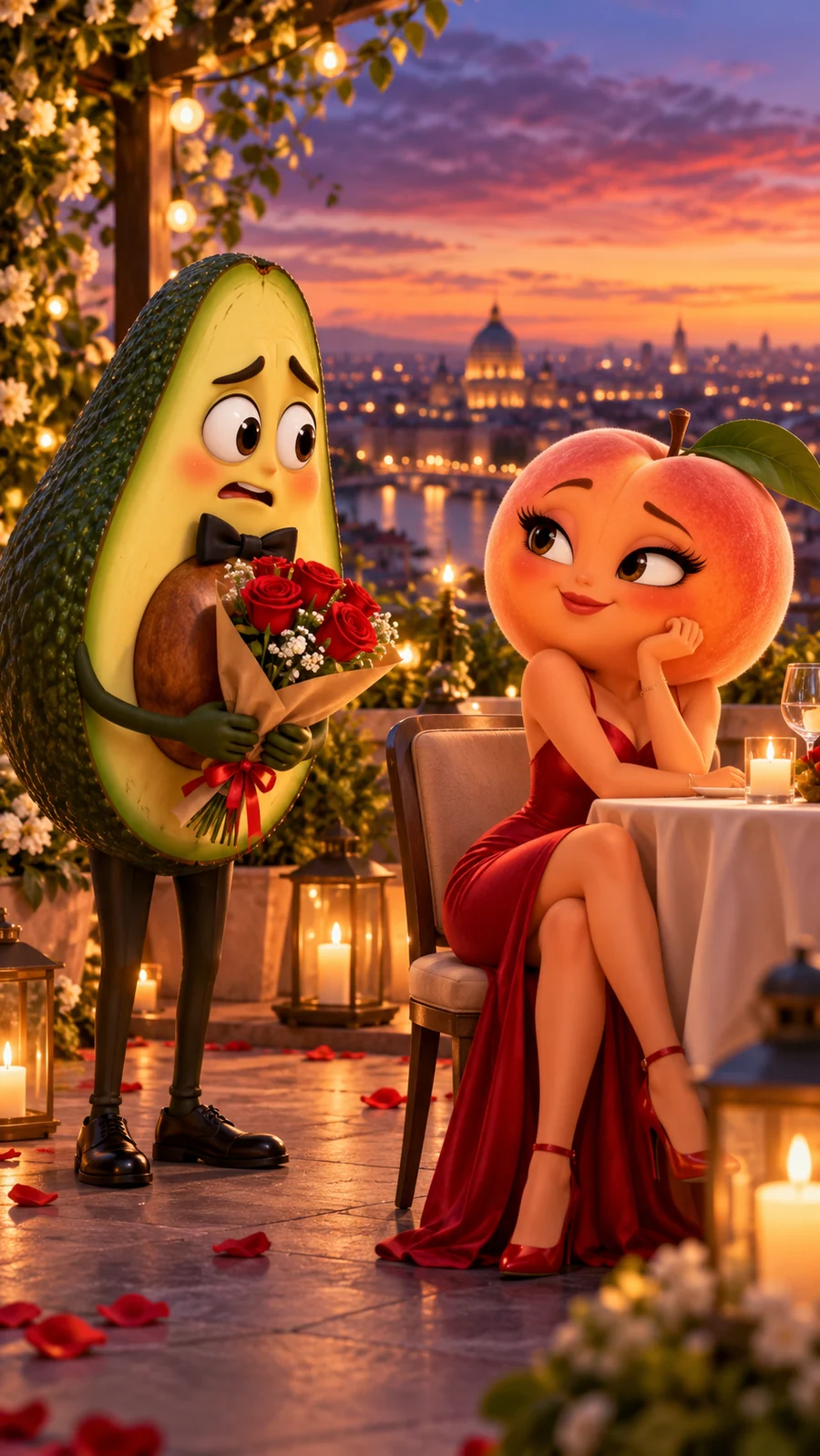
| Avery Avocado | a small avocado character with glossy dark-green skin, a pale-green face, big brown eyes, a black bow tie and a bouquet of red roses | nervous, fast, slightly high | To impress Penny and save his rooftop restaurant |
| Penny Peach | a round peach character with soft orange-pink skin, one green leaf on top, long eyelashes, a red evening gown and a small red notebook | calm, low, amused | An honest review of the city's newest rooftop restaurant |
| Stella Strawberry | a bright red strawberry character with yellow seeds, a leafy green crown, a white chef's hat and a white apron | loud, cheerful, fast | To keep the kitchen from catching fire |
Next, make one reference image per character: a full-body portrait on a plain background (10 stars per image on ToonlyAI). Portraits lock in the design before you spend stars on video, and a matching still can be animated directly with Image to Video, as the photo animation guide explains.
A cute 3D cartoon avocado character with glossy dark-green skin, a pale-green face, big brown eyes and a black bow tie, holding a bouquet of red roses, standing and facing the camera, full body, plain soft cream background, polished 3D animation style, soft studio lighting.
Consistency is the hardest part of any multi-clip story. Google's Veo guidance is to name each character, give them a voice style and repeat the full description unchanged in every prompt. For fixes when a character drifts anyway, see how to keep characters consistent in AI video.
Write a 30-second episode: the 5-beat structure
Short episodes need a shape that works without context, because many viewers will land on episode three first. This five-beat structure fits 30 seconds and splits cleanly into four clips.
| Beat | Time | Job | Example: “Table for Two” |
|---|---|---|---|
| 1. Hook | 0–3 s | An image or line that raises a question instantly | Avery rehearses his opening line in a spoon's reflection |
| 2. Setup | 3–10 s | Who wants what, and where | Penny arrives on the candlelit rooftop; Avery offers roses |
| 3. Twist | 10–17 s | The reveal that flips the situation | Penny opens a notebook: this isn't a date, it's a review |
| 4. Clash | 17–24 s | The emotional peak, or chaos | Stella bursts out of the kitchen: the toast is on fire |
| 5. Cliffhanger | 24–30 s | An open question that earns a follow | Penny will be back tomorrow, with a guest |
Two rules keep it tight. Use one spoken line per clip, ideally from one character, so the model isn't juggling voices. And end on an unanswered question: a punchline gets a laugh, but a question gets a follow.
Fruit drama prompts: one full episode, clip by clip
Here is the whole episode as four copy-paste prompts: three 8-second clips and one 6-second clip on Veo 3.1 Lite, 9:16, sound on, for 30 seconds in total. Dialogue follows Google's current format (speaker, voice, a colon, then the words) with no quotation marks around the speech, because the same guidance warns that quotes can produce on-screen text.
Close-up with a slow push-in. On a candlelit rooftop restaurant at sunset, Avery Avocado, a small avocado character with glossy dark-green skin, a pale-green face, big brown eyes, a black bow tie and a bouquet of red roses, checks his reflection in a silver spoon and straightens his bow tie with a trembling hand. Avery Avocado says in a nervous, fast, slightly high voice: Okay. Be cool. It's just dinner with Penny. Behind him, a glass door slides open. Ambient sound: soft city traffic and clinking glasses. Polished 3D animation, warm candlelight, shallow depth of field, vertical 9:16.
Medium two-shot, static camera. At a candlelit rooftop table at sunset, Avery Avocado, a small avocado character with glossy dark-green skin, a pale-green face, big brown eyes, a black bow tie and a bouquet of red roses, holds out the roses to Penny Peach, a round peach character with soft orange-pink skin, one green leaf on top, long eyelashes, a red evening gown and a small red notebook. Penny smiles politely, sets the notebook on the table and clicks a pen. Penny Peach says in a calm, low, amused voice: Thank you. Now, the menu. I'm here to review your restaurant. Avery's eyes go wide and the roses droop. Sound effect: a pen click, then soft violin music stops abruptly. Polished 3D animation, warm candlelight, vertical 9:16.
Medium shot, handheld camera. The kitchen door of a candlelit rooftop restaurant bursts open and Stella Strawberry, a bright red strawberry character with yellow seeds, a leafy green crown, a white chef's hat and a white apron, runs out holding a smoking frying pan and waving away the smoke. Stella Strawberry shouts in a loud, cheerful, fast voice: Chef! The toast is on fire! Again! Sound effects: a smoke alarm beeping and oil sizzling. Polished 3D animation, warm candlelight with drifting grey smoke, vertical 9:16.
Close-up with a slow push-in. At a candlelit rooftop table at night, Penny Peach, a round peach character with soft orange-pink skin, one green leaf on top, long eyelashes, a red evening gown and a small red notebook, slowly closes the notebook and raises one eyebrow. Penny Peach says in a calm, low, amused voice: Interesting. I'll be back tomorrow. With a guest. The candle beside her flickers out. Sound effect: a single dramatic piano chord. Polished 3D animation, moody candlelight, vertical 9:16.
Choosing a model for each shot
Veo 3.1 Lite is the sensible default for dialogue clips: native audio, vertical 9:16 and the lowest star cost. Switch individual shots when the job changes (the full comparison is in Veo 3.1 vs Kling 3.0):
- Kling 3.0 (5 or 10 s) for the busiest action beat, such as the kitchen chaos in clip 3. It's built for smooth, expressive motion, and 10 seconds gives slapstick room to land.
- Veo 3.1 Fast (1080p) for one hero shot you'll reuse as a series opener, when the sharper picture is worth more than twice the stars.
- Veo 3.1 Lite with sound off for silent reaction shots.
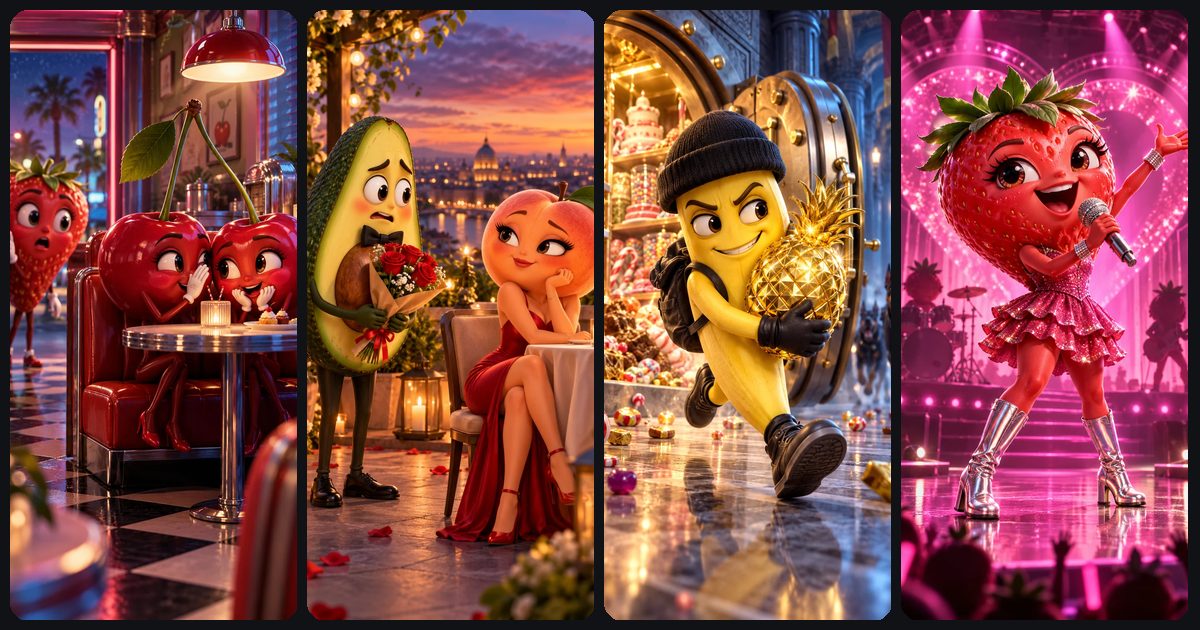
ToonlyAI's homepage has five Fruit drama starters (The cherry secret, The avocado date, Detective Lemon, The banana heist and Strawberry superstar), each with a ready prompt and concept image. Open one and swap in your own cast.
Browse story startersGiving fruit a voice
To make a talking fruit video with AI, switch sound on and write the line into the prompt; Veo 3.1 and Kling 3.0 both generate native audio, including dialogue, in the same clip. A few habits make the lines land:
- Keep lines short. As a rule of thumb, speech runs at about 2.5 words per second, so an 8-second clip holds 20 words at most. Aim for 8–15 so the character has time to react.
- One speaker per clip where you can. If two characters talk, give each line its own speaker name and voice description.
- Describe each voice the same way every time. 'Calm, low, amused' in episode one should still be 'calm, low, amused' in episode ten.
- Write the sound, not just the words. A pen click or one piano chord does as much for the drama as the dialogue. Give sound effects and ambience their own sentences.
- Re-roll garbled lines first. If a line fails twice, shorten it or simplify the words.
Prefer your own voice? Generate silent clips (30 stars instead of 50 for 8 seconds on Veo 3.1 Lite) and record the voices in an editor. The fruit's mouth won't sync to your audio, so this suits narrator-led stories. Both approaches are compared in AI video with sound and, for single-character formats, in our guide to AI talking object videos.
What an AI fruit drama episode costs
These are ToonlyAI's star prices; the studio shows the exact cost before you generate. Dollar figures use the 500-star pack rate (500 stars for $10, or 2 cents a star); the 1,200-star pack is cheaper per star.
| Episode plan (30 s, 9:16) | Clips | Stars, sound on | Stars, silent | About, sound on |
|---|---|---|---|---|
| Veo 3.1 Lite: 8 + 8 + 8 + 6 s | 4 | 190 | 115 | $3.80 |
| Mixed: Lite 8 + 8 s, Kling 10 s, Lite 4 s | 4 | 280 | 180 | $5.60 |
| Kling 3.0: 10 + 10 + 10 s | 3 | 465 | 315 | $9.30 |
| Veo 3.1 Fast (1080p): 8 + 8 + 8 + 6 s | 4 | 450 | 375 | $9.00 |
Re-rolls are the hidden cost. Failed generations are refunded automatically, but a finished clip you want to redo costs stars again. As an illustrative budget, the Veo 3.1 Lite plan plus three portraits (30 stars) and two re-rolled dialogue clips (100 stars) comes to 320 stars.
To save stars, test a new character's look with one silent 4-second Veo 3.1 Lite clip (15 stars) before committing to full dialogue clips. Packs are listed under pricing: no subscription, and stars never expire.
Stitch, caption and post it as a series
- Download the four MP4s and line them up in any video editor, trimming a few frames at each cut.
- Add burned-in captions. Many people scroll with the sound off, and captions cover any word the model slurred.
- Tag the series on screen in the first second, such as 'Table for Two, Ep. 1', using the same format every time.
- End with a question that matches the cliffhanger, such as 'Who is Penny bringing?'
- Post on a schedule and open later episodes with a one-line recap.
An AI fruit story on TikTok, Reels or Shorts lives on its first two seconds, so open with your most dramatic frame. For specs and hook formulas, read how to make AI videos for TikTok, Reels and Shorts; for new camera moves and genres, borrow from the AI video prompts library.
Keep it original and out of trouble
Successful fruit accounts attracted copycats within days, and copycat content is what platforms are getting stricter about. Four habits keep a series safe to grow.
Make your own characters and stories
Don't reuse another creator's character names, designs or plotlines, don't title your series after a TV format you don't own, and leave copyrighted characters alone. An original cast is the only kind you can build a brand around.
Skip demeaning stereotypes
A rival can be petty, jealous or scheming without the story punishing a character for being female, or leaning on racist or body-shaming jokes. Those stereotypes drew the criticism, and they're the quickest way to lose sponsors.
Vary the format so it isn't templated
YouTube's inauthentic content policy excludes mass-produced, repetitive or template-based videos from monetization, including AI content that looks mass-produced and lacks the creator's own perspective. Change locations, conflicts and beats between episodes, write your own dialogue, and add something of yours, such as narration or running jokes. The full rules are in can you monetize AI videos on YouTube.
Label when the platform asks
YouTube says clearly unrealistic or animated content doesn't need its altered or synthetic content disclosure, and talking fruit is about as unrealistic as video gets. Other platforms set their own rules, so check each app's AI label option when you post.
Paste clip 1 into ToonlyAI's Text to Video, pick Veo 3.1 Lite at 9:16 with sound on, and within one to three minutes you'll know whether your avocado has star quality.
Open the video studio